The Same Deploy Script at Every Scale
When I first released my BillTracker app, this was my entire deployment pipeline:
| |
That simple script deployed a Phoenix/Elixir application to a $6/month DigitalOcean droplet: 1 vCPU, 1GB RAM (the smallest they sell) - perfect for initial low volume. As increased traffic justifies a bigger droplet: concurrent legislative sessions, more customers, more volume - I simply resize in the DigitalOcean dashboard and run the same script. The deployment doesn’t change when the hardware does.
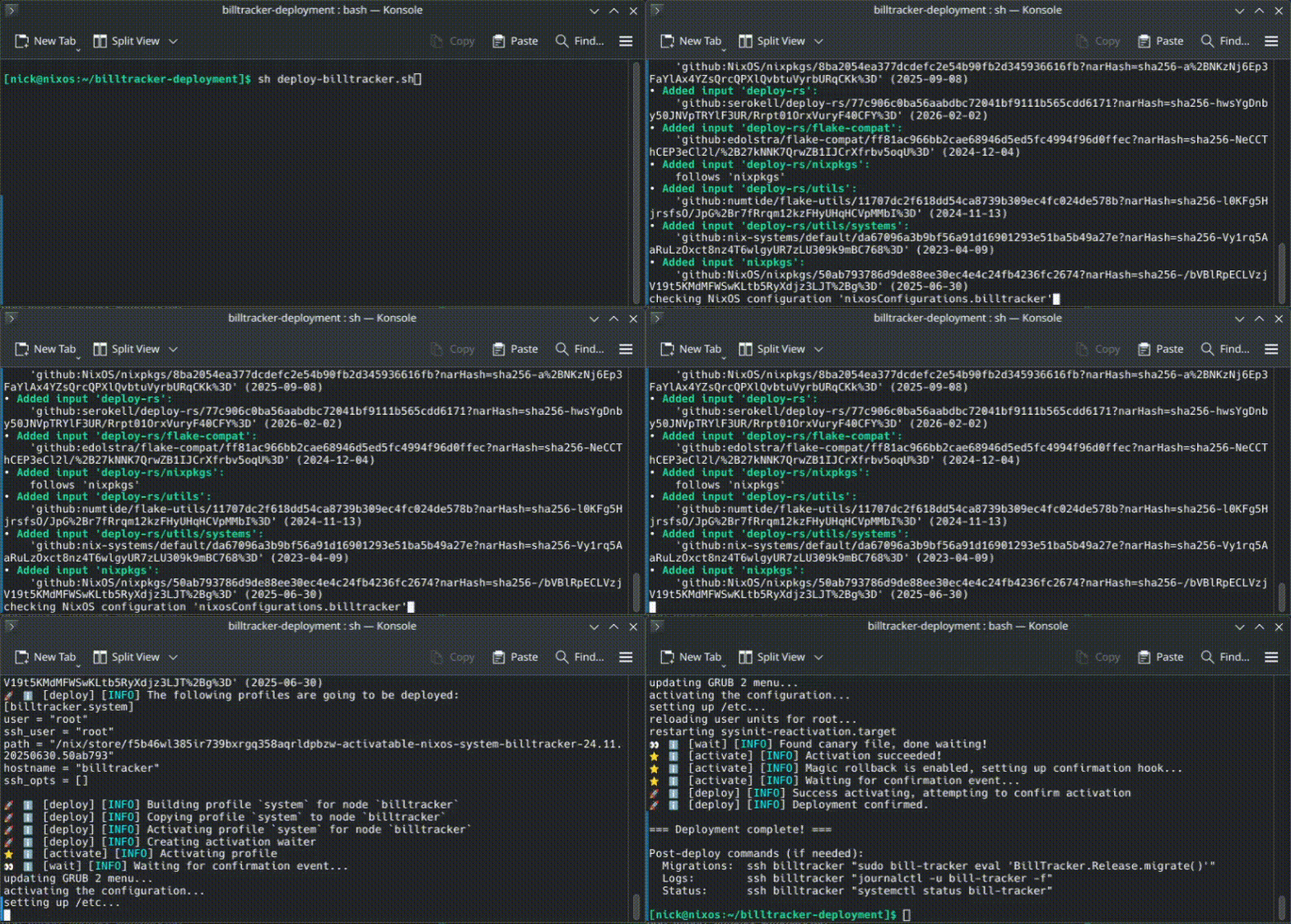
Here’s a full deploy: flake update, validation, build, push, and activation, all in 60 seconds:
How It Started
The server started as a stock Ubuntu droplet, converted to NixOS in-place via nixos-infect. I followed an existing guide for wiring up deploy-rs and immediately started hitting problems: broken IPv6 routes from auto-generated configs, deploy-rs silently authenticating as the wrong SSH user, a follows directive that forced my Phoenix app onto a nixpkgs that didn’t have the packages it needed.
The most useful failure: nixos-infect generated a malformed IPv6 route, the deployment activation failed, and deploy-rs automatically rolled the server back to the previous working config before I’d finished reading the error. That’s when the setup stopped feeling experimental.
What the Server Actually Does
Everything the server does is in two files. configuration.nix (33 lines) defines the base system: SSH keys, firewall, hostname. server.nix (127 lines) defines everything else. Here’s the interesting part (services.nginx) of server.nix:
| |
Two production websites. Automatic SSL. The Phoenix app gets websocket proxying for LiveView. The portfolio gets static file serving. Requests to detello.com/github and detello.com/linkedin redirect to my profiles.
The Phoenix app itself is seven lines:
| |
That’s a production systemd service with process supervision, automatic restarts, and dependency ordering. The module comes from the Phoenix project itself, which exports a NixOS module describing how to run itself. The deployment repo just composes it with the server infrastructure.
The Flake
Here’s the full flake.nix - 37 lines, the entire deployment definition:
| |
Three inputs. The OS (nixpkgs), the deployment tool (deploy-rs), and my Phoenix app, referenced as a local path. nix flake update picks up whatever’s in my BillTracker directory. No container registry, no CI/CD service, no build server.
The modules array has three layers: configuration.nix for the base system (SSH, firewall, hostname), server.nix for the infrastructure (nginx, PostgreSQL, backups), and billtracker.nixosModules.default for the Phoenix app itself. That last one is the key; the app exports its own NixOS module that knows how to run itself as a service. There’s a separation of concerns between the app, defining how it runs, and the deployment, that defines where and alongside what.
Each layer has a clear boundary. I can swap nginx for Caddy, I can point nixpkgs at a new release branch; the modules and their structure stay the same.
Scaling Without Changing Config
None of these files encode hardware expectations. hardware-configuration.nix - auto-generated by nixos-infect, never hand-edited; it describes block devices and kernel modules, not CPU count or memory. So when I resize the droplet in DigitalOcean’s dashboard, nothing in the config is wrong or stale. There’s nothing to update.
The services handle the rest themselves. The BEAM VM, which runs Phoenix, detects available cores and creates one scheduler thread per core. Go from 1 vCPU to 4, and the app handles concurrent connections across 4 schedulers without a config change. Nginx scales its worker processes to match CPU count by default.
How this scales: resize the droplet, run the same deploy script. The flake doesn’t know or care what’s underneath it.
Production Niceties
The config includes things you don’t think about until you need them:
Automated backups. PostgreSQL dumps the prod database daily. Two lines of config.
Log rotation. journald keeps two weeks of logs, rotated daily. No disk-filling surprises.
Firewall whitelist. Only ports 22, 80, and 443 are open. Everything else is dropped.
Atomic deploys with rollback. If a deployment breaks SSH connectivity, the server reverts to the previous working configuration automatically. I’ve seen this fire; it works.
What I’d Improve
Secrets. secretKeyBase is plaintext in server.nix. In a team context, this would use sops-nix; secrets encrypted in the repo, decrypted at activation time on the server.
App pinning. The input is a local path. A git URL with a commit hash would help with auditing and reproducibility, but it’s overkill for solo development.
Health checks. deploy-rs confirms SSH survived the activation. It doesn’t confirm Phoenix is accepting requests. A post-deploy probe would close that gap.
The Point
I built this to be boring. The deploy script hasn’t changed since I wrote it. The flake hasn’t needed restructuring as the app grew. The droplet scaled underneath the config without the config noticing.
That’s what I want from infrastructure: easy to setup/trust, and never fight with on a Friday night.