Driving up for Thanksgiving with family, I bought a used laptop from a stranger whose house was along the route. Sitting in the seller’s living room, I needed to know the discrete GPU worked before handing over cash. The fastest way on its factory Windows install was to run FurMark for ten minutes. It passed, and I took the machine.
Those twenty minutes of Windows were plenty. Telemetry toggles were scattered across multiple menus, permission prompts interrupted routine actions, and creating a plain local account without a cloud sign-in meant dropping to a command prompt. I wanted it gone, but I was away from home on a holiday weekend with no USB stick and no install media.
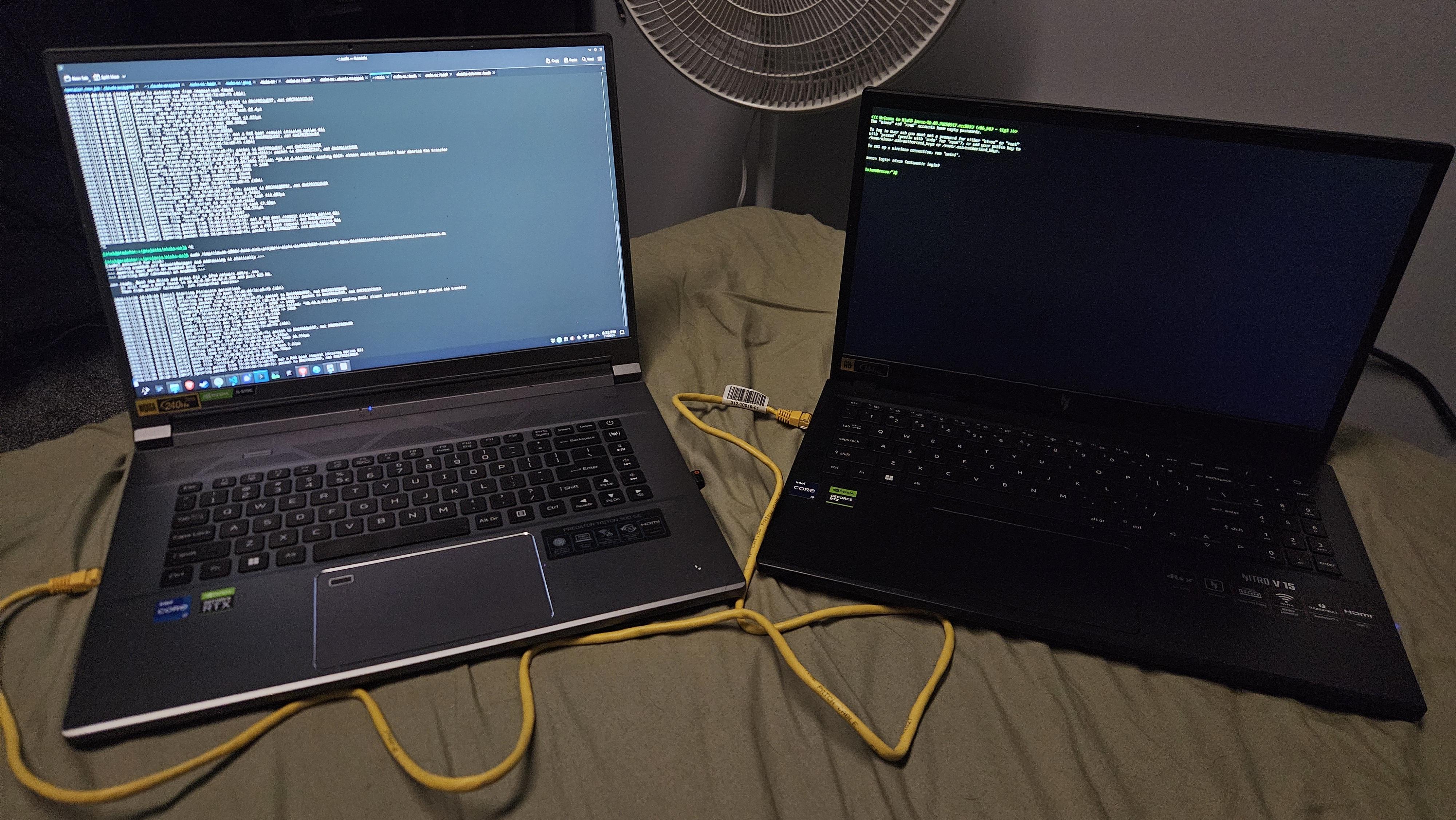
A day later, Windows was gone. Using one ethernet cable borrowed from a friend’s closet, I declared the new laptop in my existing NixOS flake, built its system on the laptop I already use, and pushed the result across, ready to serve as my second build server.
Skip the manual install
The usual bring-up ritual for a new Linux laptop does not scale: download an ISO, wipe a flash drive, click through an installer, copy private repository credentials onto a day-old machine, and rebuild everything from a cold cache.
Instead, I treated the new laptop as another host entry in my existing flake, changed three BIOS settings, ran a single ethernet cable between the two laptops, and deployed the finished closure directly to disk.
Why ethernet instead of USB, and the BIOS settings (expand)
My first thought was plugging a USB cable between the two laptops and having my main laptop impersonate a flash drive. That does not work on x86 laptops: their USB ports are wired to host-only controllers, with no USB device controller (/sys/class/udc/ does not exist), so Linux has nothing to bind g_mass_storage to. A direct ethernet cable between two modern network cards negotiates 1000 Mb/s on its own.
To serve the netboot from my main laptop, a session paired dnsmasq for DHCP address assignment with pixiecore --dhcp-no-bind for ProxyDHCP, TFTP, iPXE, and HTTP. Firewall rules opened those protocols only on the ethernet interface and were torn down by an exit trap. Over the gigabit link, Pixiecore transferred the 525 MB kernel and initrd in 9 seconds.
On the new laptop (an Acer Nitro ANV15-51), three firmware settings had to be toggled in BIOS (F2 at power-on):
- Enable the
F12one-time boot menu, which ships disabled. - Set a Supervisor Password under the Security tab, because Secure Boot is greyed out and inert until a password is set. Once unlocked, disable Secure Boot.
- Enable VT-x and VT-d so Linux can later inspect IOMMU groups for GPU passthrough.
Split the installer from the system
A netboot image and an installed system do not need to be the same thing. The image is a throwaway vehicle; the host configuration is the payload.
I built a minimal 525 MB NixOS netboot image from my repository’s locked nixpkgs with only my SSH key baked in. Booting the new laptop over the network pulled the kernel and initrd into RAM in 9 seconds and landed at a NixOS shell.
Once the installer was reachable over SSH, nixos-anywhere took over. It partitioned the NVMe declaratively with disko, built the new host’s 28.8 GiB system closure (3,154 packages and configuration paths) on my main laptop, and streamed the finished store paths over the wire.
Splitting vehicle from payload buys two properties worth designing for on purpose:
- Least privilege during install: The target never evaluates the flake, so it never needs SSH keys for private flake inputs just to come online.
- Build locality: The machine with the fast disk and warm Nix cache does the build; the target only receives bytes and writes them to disk.
Mirror the host, and prove no regressions
In NixOS, a host configuration evaluates to a derivation, a build recipe whose hash depends on every input. Declaring the new laptop in the same flake as my main laptop means the desktop, shell, toolchain, graphics offload stack, and session policy arrive as the exact same store paths, byte for byte.
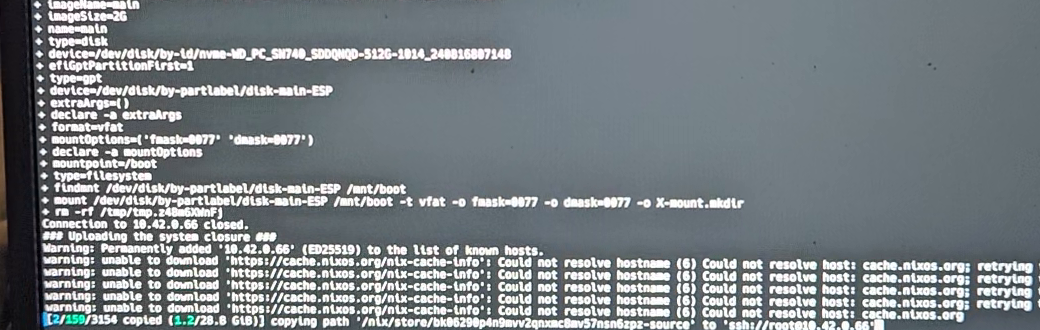
$ nix run nixpkgs#nixos-anywhere -- --flake .#<new-host> --target-host root@<target-ip>
### Uploading install SSH keys ###
# ...
### Formatting hard drive with disko ###
+ sgdisk --align-end --new=1:0:+2G ... --change-name=1:disk-main-ESP <nvme-by-id>
+ sgdisk --align-end --new=2:0:-0  ... --change-name=2:disk-main-root <nvme-by-id>
+ mkfs.vfat /dev/disk/by-partlabel/disk-main-ESP
+ mkfs.ext4 /dev/disk/by-partlabel/disk-main-root
# ...
### Uploading the system closure ###
warning: unable to download 'https://cache.nixos.org/nix-cache-info': Could not resolve host: cache.nixos.org
### Installing NixOS ###
installing the boot loader...
Created EFI boot entry "Linux Boot Manager".
installation finished!
### Rebooting ###
### Done! ###
From the nixos-anywhere run, trimmed to the main phases with host, IP, and disk ID replaced.
Adding a host touches a shared flake that my daily machine depends on. Before deploying anything, I evaluated config.system.build.toplevel.drvPath for my existing laptop at the prior commit and in the working tree. Both returned the exact same hash, proving the new host could not alter the machine I rely on.
Where the new host intentionally diverges (expand)
Sharing a flake does not mean copying machine-specific hacks blindly:
- Declarative partitioning:
diskomounts by partition label (/dev/disk/by-partlabel/...) rather than UUID, keeping machine identity out of git so the hardware file can be committed. - 2 GiB EFI partition: My first laptop’s 1 GiB EFI partition filled up at 46 generations and broke bootloader installs at generation 49. The new host doubles it.
- Chassis hardware layers stay off: The Acer-specific WMI layer and custom GPU power-limit tuning from my main laptop were measured on different silicon and voltage regulators, so both stay disabled here.
- Inverted kernel pin: My main laptop boots a pinned kernel by default with the stock kernel as fallback. On an untested host, the stock kernel is primary and the pinned kernel is the selectable fallback entry.
The Intel VMD snag, and the boundary of “identical”
The install finished cleanly, the laptop rebooted, and Linux stage 1 timed out waiting for its root partition. The disk was intact. The culprit was Intel VMD (Volume Management Device), a firmware storage controller that hides the NVMe behind a synthetic PCI domain.
The netboot installer saw the disk because its root lives in RAM and udev loads the vmd kernel module after booting. An installed system has to reach its disk in early boot, and vmd was not in the initrd.
A session argued that coupling the hardware driver into the flake was unavoidable. It was reasoning inside a constraint I was free to delete. With one NVMe and no RAID array, VMD only existed for factory Windows. Disabling VMD in firmware exposed the drive directly to the nvme driver already in the initrd, and the laptop booted immediately with no reinstall and no second 28.8 GiB transfer. I still added vmd to boot.initrd.availableKernelModules afterward so a future firmware reset cannot break boot again.
Inside the Intel VMD failure and the password pass (expand)
With VMD enabled, the firmware’s own RST driver reads the EFI partition and loads the kernel, so boot reaches Linux rather than failing with “no bootable device.” Once Linux initializes PCI, it finds the VMD controller (8086:a77f) in domain 0000, has no vmd driver in the initrd to claim it, and never creates synthetic domain 10000 where the NVMe sits. Even NixOS’s all-hardware.nix profile contains zero matches for vmd, while nixos-generate-config detects it directly from the live PCI tree.
Before toggling VMD off, a session claimed disabling it post-install would not help. Inspecting the installed initrd proved otherwise: NixOS concatenates an uncompressed microcode cpio archive ahead of the zstd-compressed main archive, so skipping past the microcode segment to the zstd magic bytes (28b52ffd) showed nvme.ko.xz was already present. Turning VMD off exposed the drive in domain 0000 where nvme claimed it immediately.
One more non-interactive install gotcha: nixos-anywhere does not prompt for passwords, and with users.mutableUsers = true the lockout assertion did not fire. Booting the netboot installer once more, mounting the installed root, and running nixos-enter --root /mnt -- passwd set passwords cleanly from outside.
There is one honest boundary to “identical.” Configuration copies; per-machine identity does not. Setting account passwords and enrolling the host’s mesh certificate, which is encrypted to an age key derived from the host’s own SSH key, remain a deliberate second pass after first boot.
Ready for its real job
On first login, the entire environment declared in the flake was already in place. I also verified the hardware for its actual role: the discrete GPU and its audio function sit alone in IOMMU group 15 and support function-level reset (FLReset+), clearing the way for the GPU-passthrough build VM that will make it my second build server.
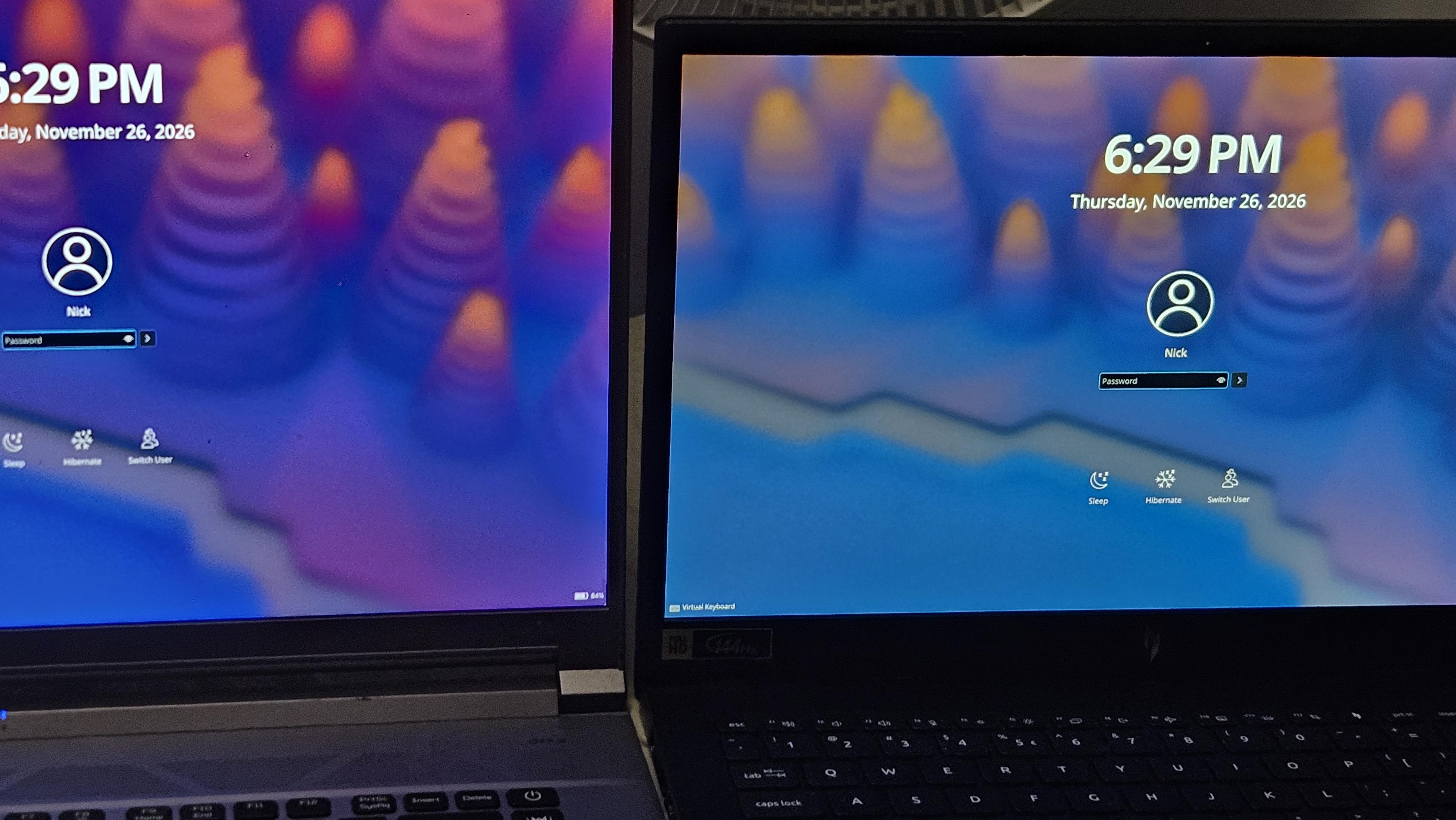
The setup cost is paid once, on the first machine. Define the host declaratively, verify the existing machine’s derivation hash did not move, and push the closure over a cable: a used Windows laptop joins the fleet instead of becoming a weekend configuration project.